

ContentsTap to jump to a section+
- KB5134125 is an October 26 NON-SECURITY update for devices missing automatic CTL updates.
- Target builds are 19045.7811 or 19044.7811, according to servicing branch and eligibility.
- Check architecture, servicing prerequisites, installation history and certificate-dependent workflows.
Inventory disconnected Windows 10 devices separately
Microsoft released cumulative out-of-band update KB5134125 on October 26, 2026 for the applicable Windows 10 21H2 and 22H2 servicing branches. Its new focus is trusted-root certificate data for devices missing automatic certificate updates. IT teams maintaining restricted networks should review eligibility and configuration before scheduling deployment.
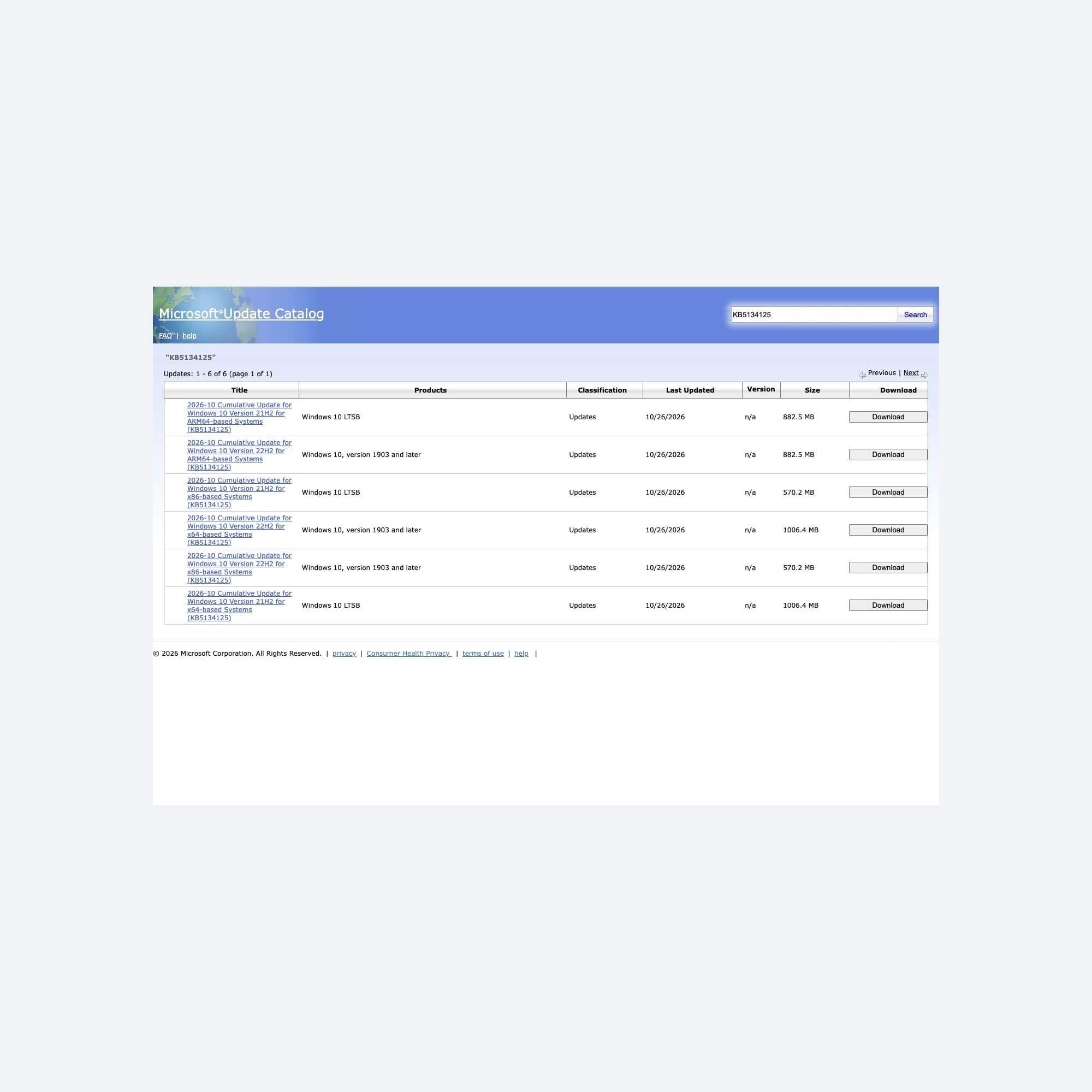
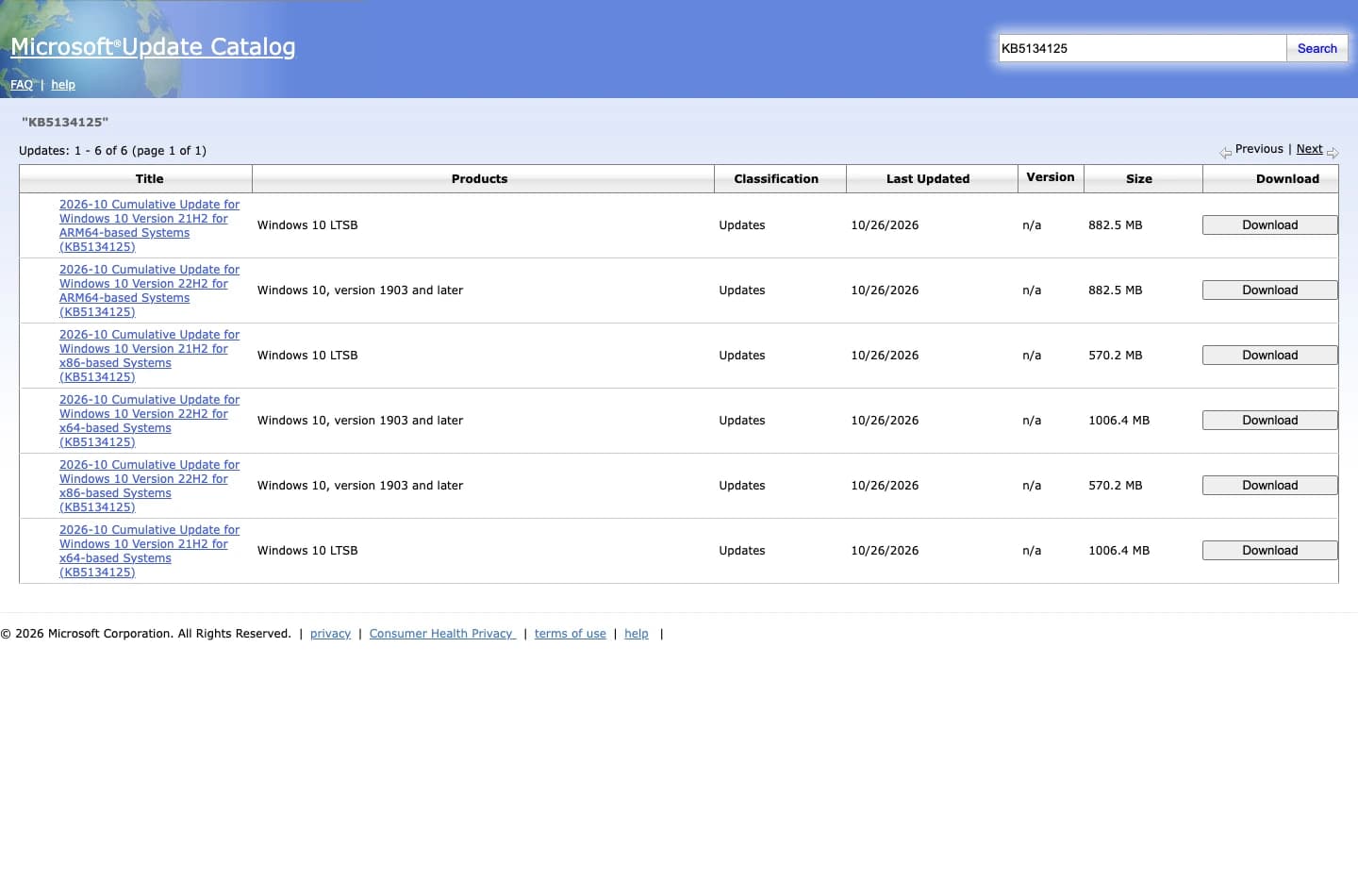
Microsoft classifies it as NON-SECURITY. It is not a zero-day patch or a return to free general Windows 10 support. This October 27 report distinguishes package availability in the Catalog from installation on an actual computer.
Working applications do not prove current trust data
Windows uses certificate chains when validating signed content and many connections. Trusted and disallowed certificate information needs maintenance. Microsoft’s documentation says computers directly reaching Windows Update can receive updated certificate trust lists, or CTLs, daily.
Factory, laboratory and tightly restricted business networks may block the certificate-update service, or administrators may disable automatic updates. A cumulative-update history alone does not establish that the CTL channel works. Record connectivity and certificate policy separately.
KB5134125 supplies an updated trusted-root payload through the cumulative package for these situations. Corporate certificate authorities and internal public-key infrastructure still require their own management. Importing an unknown certificate simply to remove a warning is not an appropriate substitute.
Match branch, architecture and servicing eligibility
The published builds are 19045.7811 for 22H2 and 19044.7811 for 21H2. The KB covers the applicable Windows 10 ESU, Enterprise LTSC 2021 and IoT Enterprise LTSC 2021 cases. Matching the KB number alone is insufficient when choosing an architecture-specific package.
ESU is an extended security-update program with its own prerequisites and entitlements after ordinary support ends. This non-security OOB does not change those conditions. Review the actual license, ESU or LTSC branch and update-distribution channel.
The KB also specifies servicing-stack prerequisites: the component that installs and maintains Windows packages. Its documented channels require the July 8, 2025 update or later, citing KB5062554. Older offline operating-system images have additional SSU requirements. Use the current KB instructions when preparing deployment media.
Pilot, install and validate the business workflow
Friday Works recommends recording build, architecture, CTL policy, update source and business applications, then preparing a tested recovery path. Deploy the correct package to representative devices first. Use the organization’s approved transfer method for restricted networks.
After installation and any required restart, verify the target build and installed-package history. Test the actual certificate-dependent workflows, such as approved service sign-in, signed software validation and important internal connections. Compare against the baseline; a single arbitrary website cannot validate every chain.
Preserve certificate errors, system time and chain details when troubleshooting. Disabling TLS checks or signature validation can conceal a problem rather than repair trust.
The package has defined limits
The KB retains a known issue affecting some USB Audio Class 1.0 devices. Do not present it as fixing every audio problem or every Secure Boot issue. Secure Boot certificates and general trusted roots have different roles; one certificate-related announcement does not merge them.
Disconnected devices still need controlled trust-data maintenance. Microsoft documents CTL distribution from an internal location for appropriate environments. That is a separate administrative architecture decision requiring access and policy testing, not something this OOB automatically implements.
References
Sources used in this guide
We prioritise official guidance and primary technical sources. Visit each source for full context and the latest updates.
- KB5134125, non-security OOB released October 26, 2026Microsoft ↗︎
- Exact KB packages in Microsoft Update Catalog, dated October 26Microsoft ↗︎
- Configure trusted roots and disallowed certificates, including disconnected environmentsMicrosoft ↗︎
- Windows 10 ESU prerequisites and limitsMicrosoft ↗︎
- Cover and inline image: Microsoft Update Catalog, captured by Friday Works on October 27, 2026. Used with permission from Microsoft. Full viewport retained; proportional resizing and neutral cover margins only, with no customer data. Package-distribution interface, not an installed-update result.Microsoft ↗︎
- Image reuse terms (retained attribution; not an open licence unless stated)Microsoft ↗︎