

ContentsTap to jump to a section+
Skills can be loaded when the model needs them
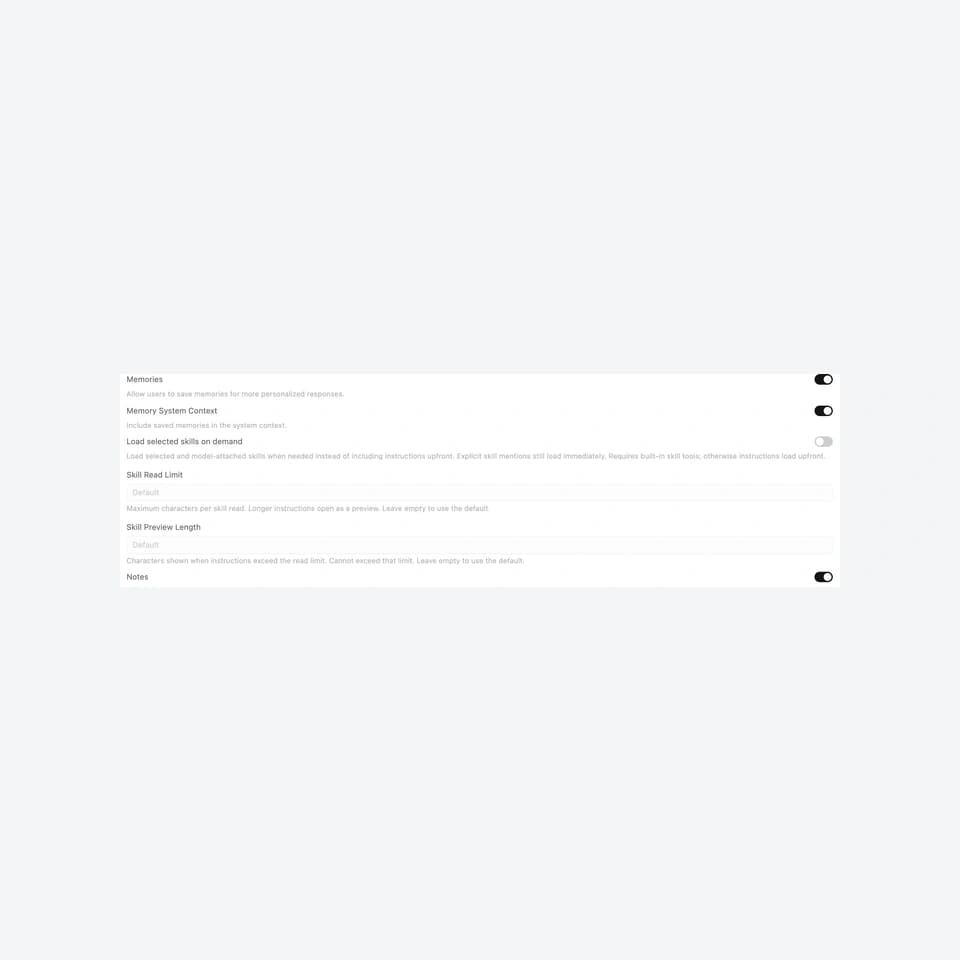
Open WebUI released version 0.12.4 at 08:07 UTC on October 25, 2026, adding an option to load selected skills on demand. Organizations attaching many procedures to an AI assistant gain another way to control the instructions supplied to each chat turn. Administrators should trial it with a small group: it is disabled by default and requires the built-in Skills tool.
The same release makes context compaction visible in the conversation and adds granular interface controls. These are October 25 product changes, reported on October 26. Release notes are not Friday Works measurements of cost, accuracy or productivity.
List available skills first, retrieve instructions later
A skill is a procedure for a particular task, such as classifying a support request or reviewing a quotation. Instructions and permissions are separate: attaching a skill does not itself authorize access to accounting systems or internal files.
With Load selected skills on demand enabled, skills selected in a chat or attached to a model are listed so the model can load their instructions when needed, rather than receiving their full contents with each message. Skills explicitly mentioned in the user’s message still load immediately.
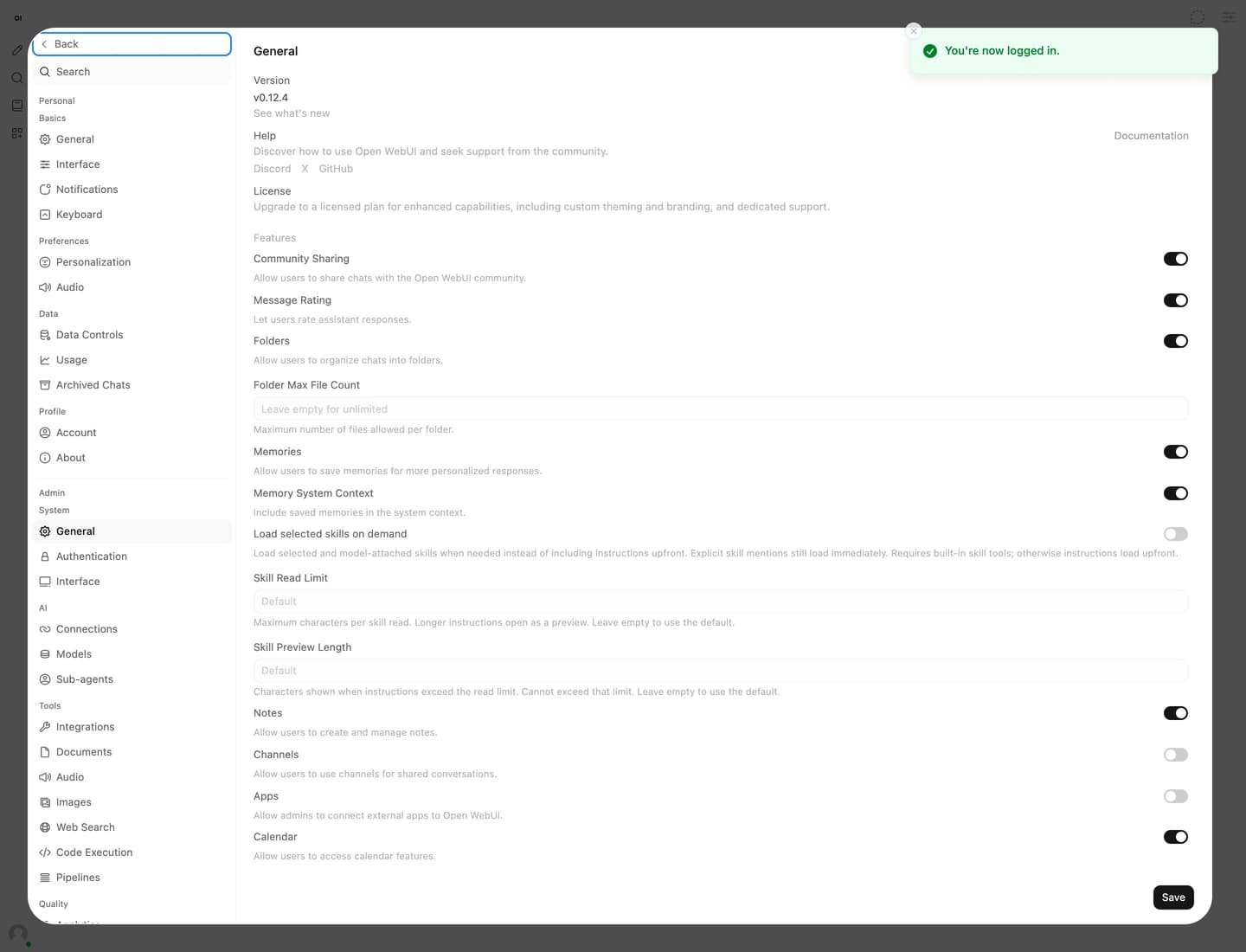
The option is available under Admin Settings → General or through ENABLE_SKILL_LAZY_LOADING. The built-in Skills tool must remain available. The model now has to recognize when a procedure is needed, so this changes application behavior as well as the amount of prefetched instruction text.
Compacted context becomes inspectable
Long conversations can exceed the model’s context capacity. Open WebUI summarizes older messages to continue the conversation. Version 0.12.4 marks the relevant message with Context compacted, opens the summary for inspection and also indicates compaction that happened between tool calls within a response.
Chat Controls → Overview identifies the message too. Progress and errors appear in the conversation rather than only as transient notices. The release also extends compaction to temporary chats and short conversations already over the threshold because a tool returned substantial output.
For a business assistant, an important test is whether the summary preserves constraints. A direction to prepare a draft without sending it to a customer must remain effective after compaction. This is a Friday Works acceptance criterion, not a demonstrated result for every model.
Hiding a control does not revoke its capability
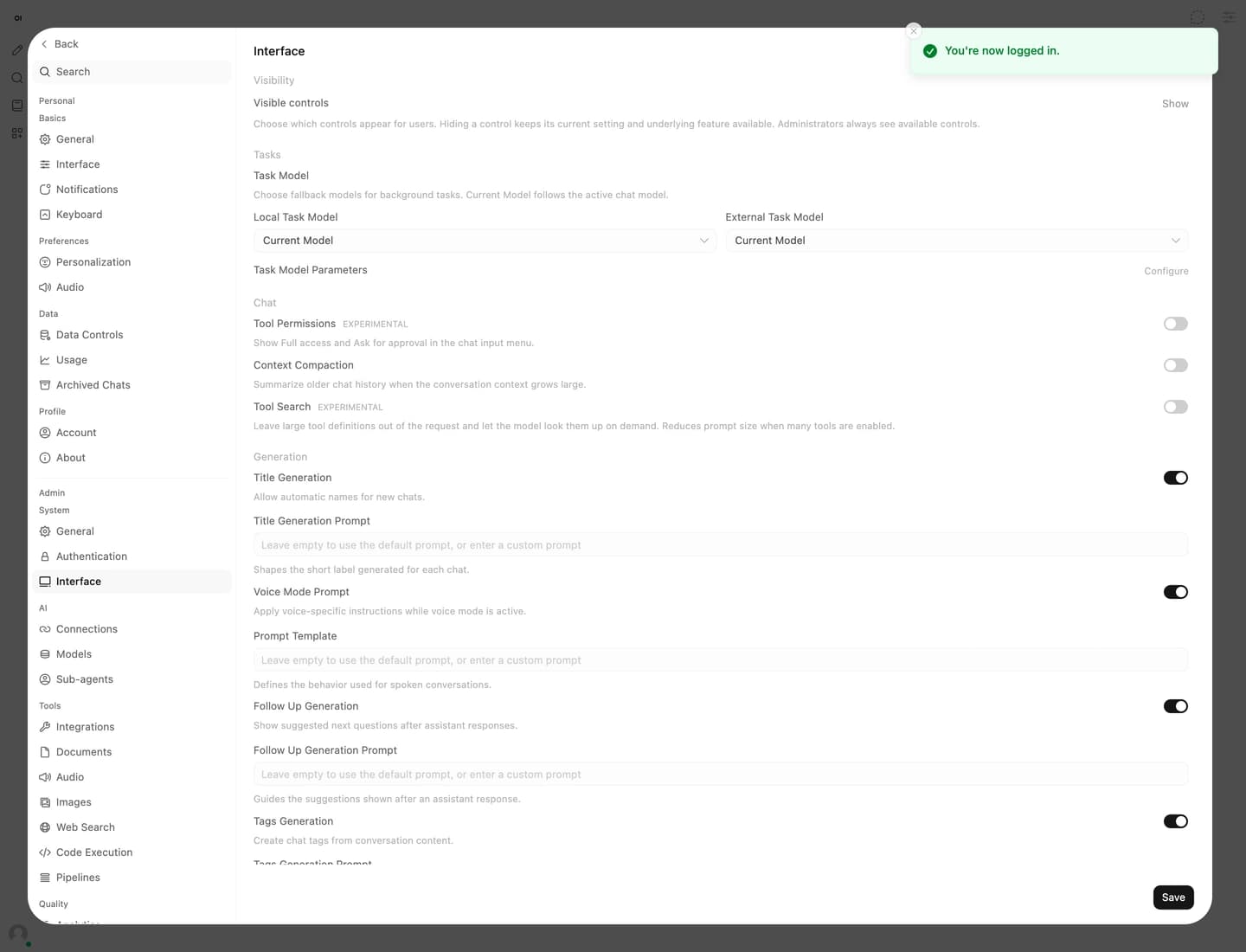
Administrators can hide individual controls in Admin Settings → Interface or through UI_VISIBILITY. This can simplify attachment options and model settings for staff. The developers explicitly state that hidden controls retain their values, their underlying capabilities remain usable, and administrators still see all controls.
Do not treat a hidden button as evidence of authorization being denied. Review account permissions, available tools and the corresponding service calls. The release separately aligns the Access button with sharing permissions across models, prompts, tools, knowledge, skills, notes and folders.
Trial a measurable, read-only workflow
Friday Works recommends backing up data and configuration, upgrading a test copy and comparing both settings with the same questions. Record which skills load, whether answers follow the procedure and actual provider token usage. Start with a read-only business task.
Include explicit skill mentions, questions requiring the model to select a skill itself, and a conversation long enough to trigger compaction. Test a regular account with the simplified interface. Expand only if business constraints and permissions still hold; the release provides no basis for promising a particular percentage of savings.
Next steps
Friday Works recommends testing against a copy and keeping evidence before changing a customer-facing system.
References
Sources used in this guide
We prioritise official guidance and primary technical sources. Visit each source for full context and the latest updates.
- Open WebUI 0.12.4, published October 25, 2026Open WebUI ↗︎
- Exact implementation of skill lazy loading in this releaseOpen WebUI ↗︎
- Exact implementation of granular interface visibilityOpen WebUI ↗︎
- Open WebUI licence, including branding conditionsOpen WebUI Inc. ↗︎
- Original Friday Works captures, October 26, 2026: exact official Open WebUI0.12.4-slim image, General lazy-loading control and administrator Interface. Test-only account, no model calls. Relevant crop, downscale and neutral cover margins; no UI edits.Friday Works / Open WebUI Inc. ↗︎