

ContentsTap to jump to a section+
- Onyx released version 5.0.0 on October 24, 2026, bringing MCP servers, OpenAPI tools and Craft Apps together on one Plugins page. Organizations connecting assistants to internal documents and business systems should review tool access, authentication and upgrade requirements before deploying this platform release.
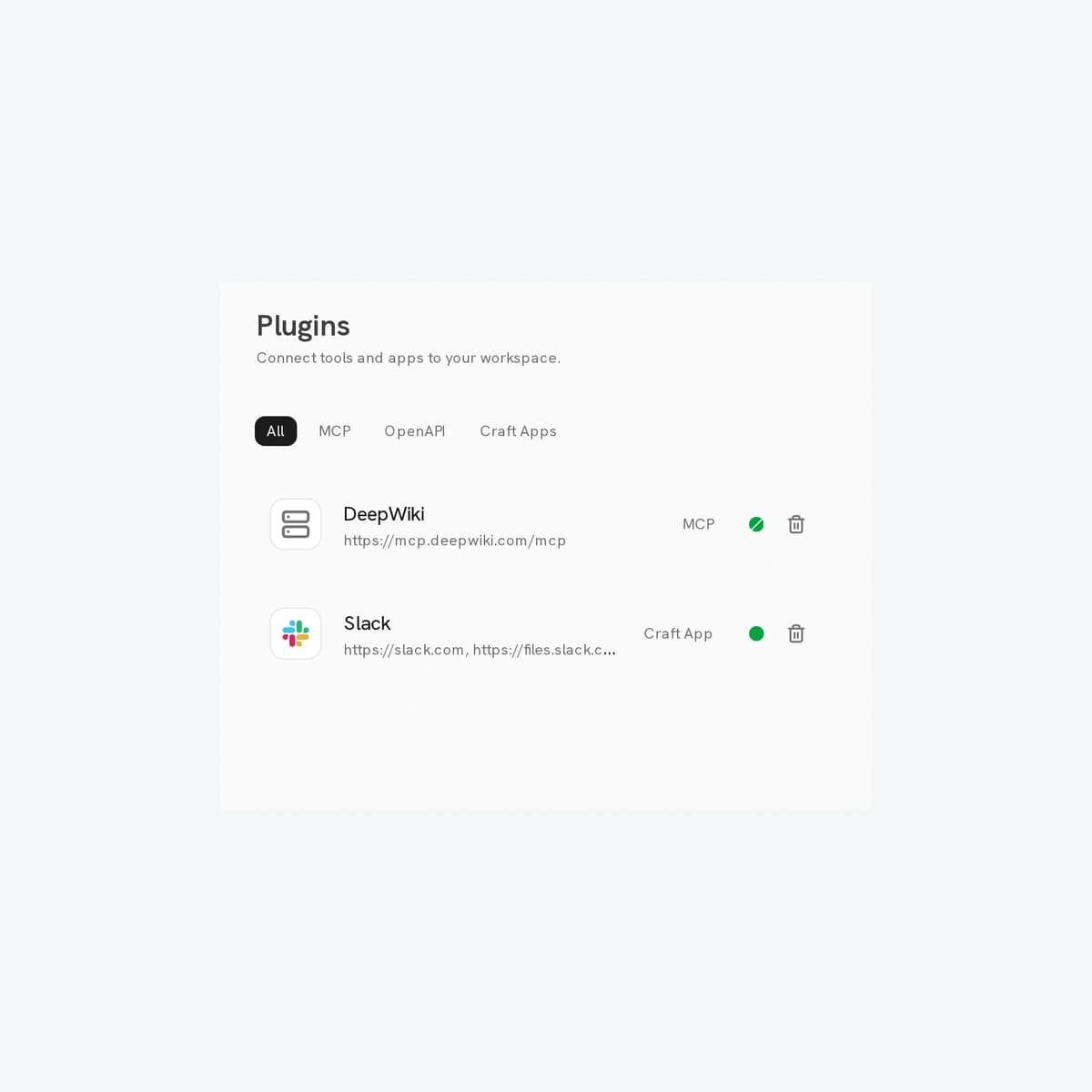
- MCP lets an assistant invoke tools, OpenAPI describes service operations, and Craft Apps provide another integration category within Onyx. Existing configurations and credentials carry over, while old settings URLs redirect to the new page.
Onyx 5.0 changes how AI assistants connect to tools
Onyx released version 5.0.0 on October 24, 2026, bringing MCP servers, OpenAPI tools and Craft Apps together on one Plugins page. Organizations connecting assistants to internal documents and business systems should review tool access, authentication and upgrade requirements before deploying this platform release.
The documentation labels its release notes October 23; the GitHub release was published at 06:46 UTC on October 24. Administrators running their own deployment should validate the upgrade on a copy before exposing it to staff.
One directory does not mean one permission level
MCP lets an assistant invoke tools, OpenAPI describes service operations, and Craft Apps provide another integration category within Onyx. Existing configurations and credentials carry over, while old settings URLs redirect to the new page.
Workspace administrators manage access and default availability in Chat and Craft. Individual users still connect their own accounts when required. A visible plugin does not establish that every employee may execute every operation it exposes.
Onyx checks authentication and discovers MCP tools before saving a connection. Its release notes say failed setup preserves an existing working connection. Friday Works recommends testing read-only tools separately from operations that write data: one successful answer cannot validate an entire integration.
Security behavior changes during the upgrade
Onyx 5.0 fixes password changes and resets leaving earlier sessions valid. A reset now signs out all sessions; a change signs out the other sessions. Both revoke personal access tokens, potentially requiring scripts using an employee token to be reauthorized. Service-account API keys are unaffected. Sessions on the stateless JWT authentication backend have a separate revocation limitation.
Custom OpenAPI tools now undergo destination checks, do not follow redirects and have request timeouts. Link-local and cloud metadata addresses are always blocked. Private networks remain reachable on self-hosted deployments, so operators needing stronger isolation must also restrict network egress.
The release notes also identify a stored cross-site scripting fix involving agent avatar uploads and a possible session-token theft chain. These sources do not confirm an active campaign exploiting Onyx. A published fix is evidence of a remediation, not evidence that a particular company was compromised.
File storage and Enterprise licensing also change
The bundled file store moves from MinIO to SeaweedFS. Attachments, uploaded documents and Craft work must migrate with it; backing up the database alone is insufficient. The developers describe a transition with parallel stores and fallback reads. Deployments already using external S3, GCS or Azure storage are outside this bundled-store migration.
Enterprise capabilities now follow the license rather than older enforcement flags. An installation previously using paid features with enforcement disabled can revert to Community Edition. Rolling back also requires an ordered database schema downgrade, which removes some data introduced in 5.0. Operators should not experiment with rollback on production data.
A small acceptance test before wider access
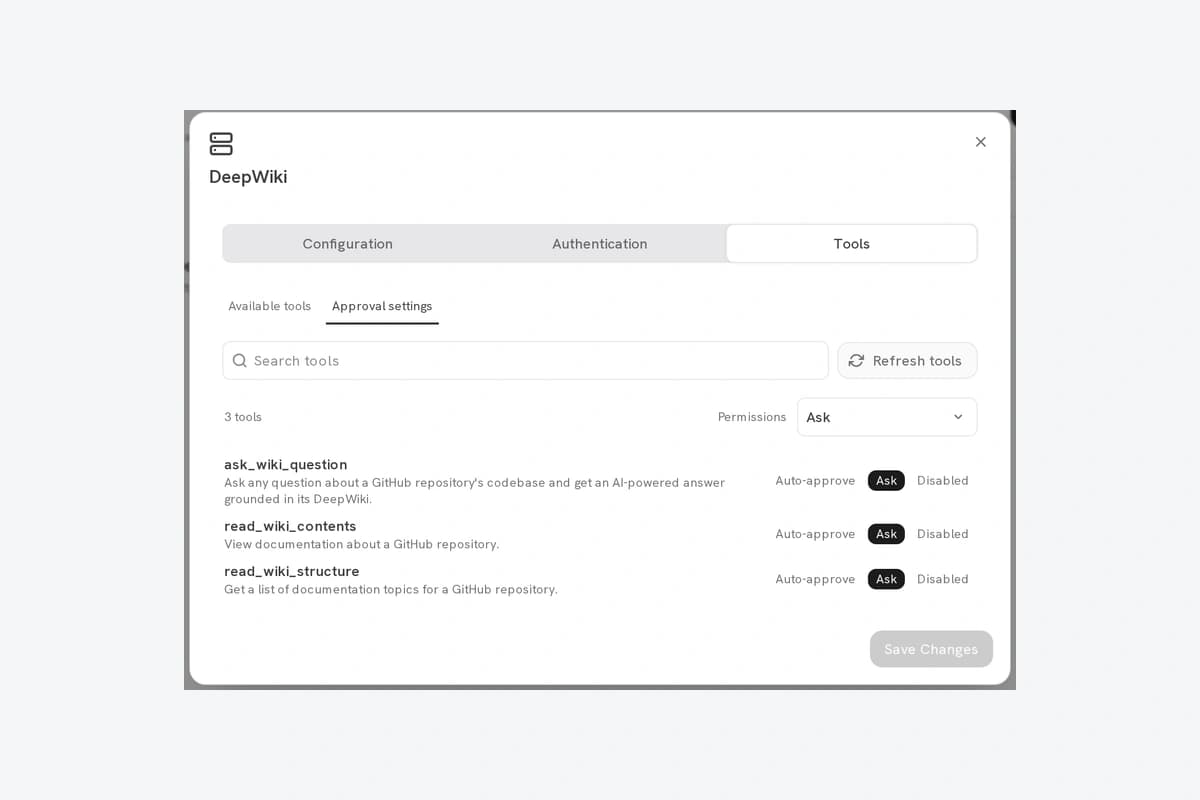
Friday Works suggests a limited pilot: back up and test recovery of files and the database; check licensing; review default-enabled plugins; test an administrator and a standard user; verify token behavior after a password reset; and confirm that write operations follow the selected approval policy.
For a support assistant that both searches documents and creates tickets, test source retrieval separately from creating a ticket with the required authorization. This is a proposed acceptance test, not a measured Friday Works deployment result or a verified cost-saving claim.
Image provenance and next steps
The cover shows Plugins and the inline image shows tool approvals for the Onyx 5.0 plugin system. Both images were added in the October 21 documentation commit dedicated to the5.0 plugin system, and the components were checked against v5.0.0 source. DeepWiki, Slack and Support Tickets are vendor samples. Retrieved by Friday Works on October 25; only crops, proportional downscale and margins were applied. Immutable source and MIT license links follow.
Organizations evaluating controlled AI assistants can discuss data boundaries, allowed tools and acceptance criteria with Friday Works before expanding access.
References
Sources used in this guide
We prioritise official guidance and primary technical sources. Visit each source for full context and the latest updates.
- Onyx 5.0.0 release — published 2026-10-24 06:46 UTCOnyx ↗︎
- Onyx release notes — documentation dated 2026-10-23Onyx ↗︎
- Plugins: workspace controls and account accessOnyx ↗︎
- OpenAPI security policy and configurationOnyx ↗︎
- Object store migration and rollback requirementsOnyx ↗︎
- Cover: actual Plugins directory, focused crop showing sample DeepWiki/Slack; retrieved 2026-10-25; crop x650 y70 1050×850, resize 716×580, neutral square framing, no UI edits; version evidence: October 21 documentation commit for unified Onyx 5.0 plugin system, matches source tagv5.0.0Onyx documentation contributors ↗︎
- Inline: MCP tool approvals; official sample UI; cropped dialog, proportional resize and framing, no value edits; version evidence: October 21 documentation commit for unified Onyx 5.0 plugin system, matches source tagv5.0.0Onyx documentation contributors ↗︎
- Image reuse: MIT License, Copyright (c) 2023 Yuhong Sun, Chris Weaver; full permission and warranty noticeOnyx documentation ↗︎