

ContentsTap to jump to a section+
- Review exposes slide outlines or video producer notes before rendering; quick generation remains available.
- Rollout began October 16, with October 19 introduction and October 21 Workspace notice, not a first launch on October 22.
- Outline approval does not replace factual, permission or final-file review.
Editors can intervene before final rendering
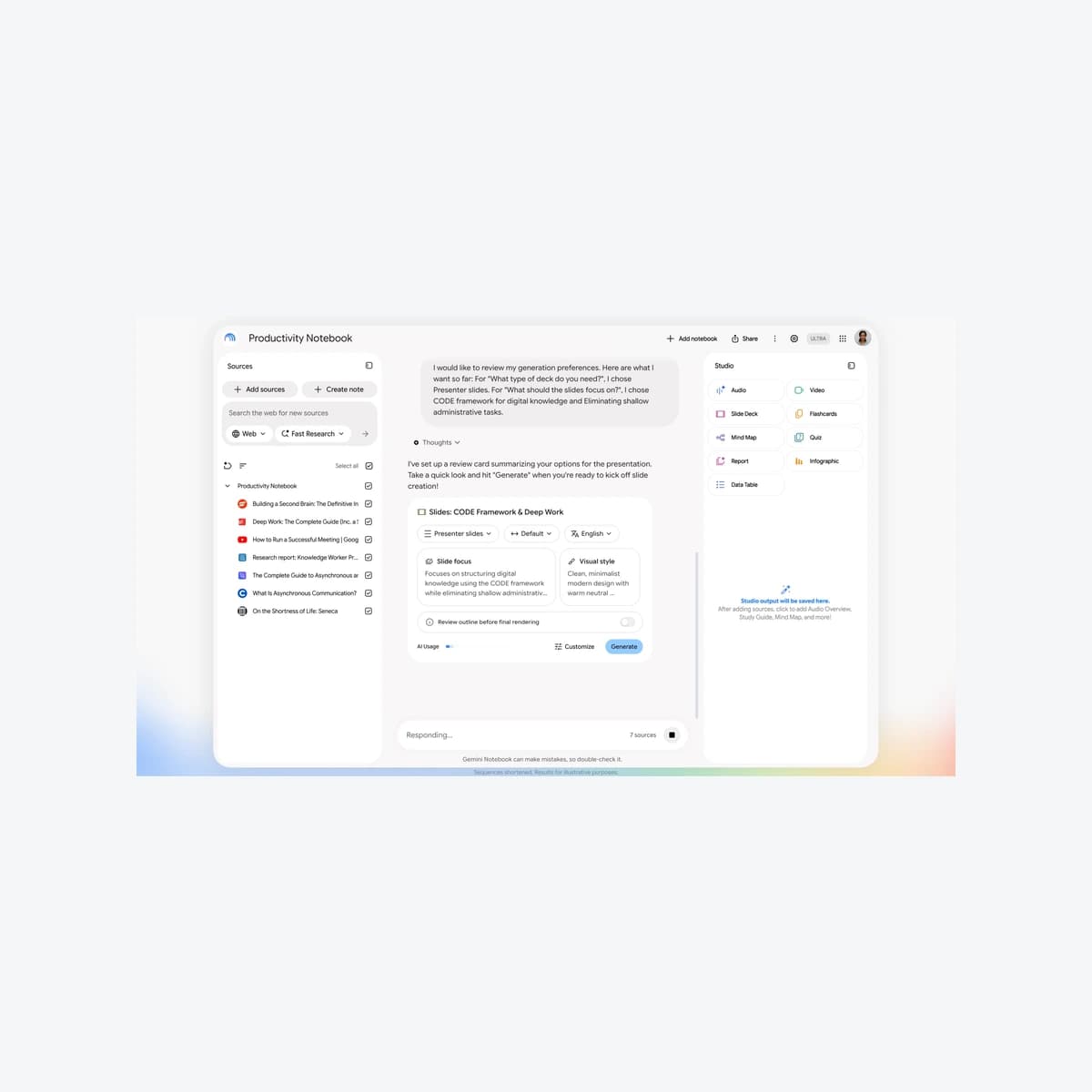
Google introduced a co-creation flow for Gemini Notebook Slide Decks and Video Overviews on October 19,2026, followed by an October 21 Workspace notice. Editors can review outlines and guide content before final output. Start with approved sources and an owner who checks both the plan and the result.
Workspace says gradual rollout started October 16 and may take15 days. This October 22 report preserves those dates rather than presenting a first launch today. Accounts may receive the change at different times; check the actual interface before relying on it.
Google describes source-based choices for topics, format and visual style. This changes steering, not a guarantee of factual accuracy or fixed savings. No independent Vietnamese-document, slide or video evaluation was performed here.
Review adds feedback before final output
Users can request slides or a video in chat or Studio. A specific prompt can prefill choices; otherwise Notebook suggests topics based on sources. Editors should check audience, purpose and permitted source material.
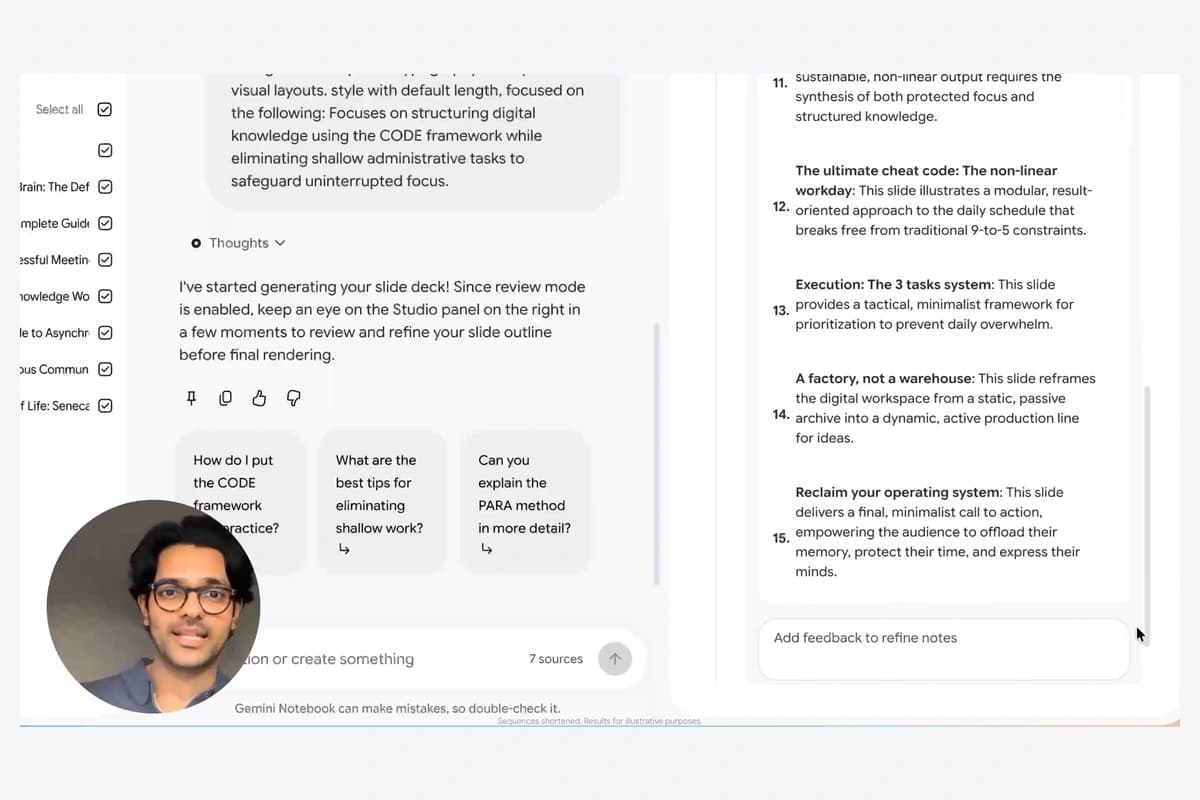
With Review enabled, Studio exposes slide outlines or video producer notes and accepts written feedback before final generation. An editor can request an executive summary or a different scene order, then verify that the revision actually follows the request.
The inline figure is an actual October 19 Google demo frame showing Studio outline entries and Add feedback to refine notes. Productivity Notebook is sample content and the presenter explains the feature; it is not a fabricated worksheet or customer outcome.
A plausible outline can still contain unsupported claims
Friday Works suggests identifying authoritative sources, critical numbers and unresolved points before generation. A project outline can look structurally sound while confusing a proposal with an approved commitment. Check important claims against the source, not just attractive headings.
Validate source permission, outline meaning and final factual/contextual accuracy separately. A generated file does not automatically grant permission to publish all source content.
Quick creation without Review remains available. Define which documents require human approval before external delivery. The new checkpoint is useful only when an informed editor actually reviews it; it does not replace the rest of acceptance.
Measure whether review reduces rework
Compare quick creation and Review using the same approved sample sources and brief. Count factual errors, structural revisions, outline-review time and final rework. Rendering time alone can hide substantial editorial effort.
The notice lists Workspace, Workspace Individual and personal accounts; availability does not imply identical quotas or data terms. There is no separate admin control for Review, while Notebook access and organizational policies still need review. No plan purchase or integration is authorized by a demo.
The cover is frame22 of Google’s October 19 demo with Review off; the inline frame47 shows the generated outline. ©Google LLC, limited educational screenshot use under Google guidance, not an open license. Gemini Notebook is a Google LLC trademark; this independent report is neither sponsored nor endorsed by Google.
References
Sources used in this guide
We prioritise official guidance and primary technical sources. Visit each source for full context and the latest updates.
- Co-creation rollout and availability notice —21 October 2026, rollout began16 OctoberGoogle Workspace ↗︎
- Original announcement and genuine slide/video walkthroughs —19 October 2026Google ↗︎
- Official Google product demonstration, © Google LLC; sample data, educational explanation, not an open license; selected frame, resize and neutral framingGoogle ↗︎
- Explicit permission for unaltered product screenshots/video captures for education; no endorsement or affiliation claimedGoogle ↗︎
- Media attribution and affiliation disclaimer rulesGoogle ↗︎