

ContentsTap to jump to a section+
- n8n released version 2.44.6 on October 22, 2026 to fix a Postgres node bug that can stop scheduled workflows. Operators should check deployments using Postgres as n8n’s own database, the durable scheduler and Postgres nodes at versions 2.1–2.6. These are node versions inside workflows, not PostgreSQL server versions.
- The maintainer reports that, with the durable scheduler on Postgres, every Schedule Trigger can stop until main restarts. Version 2.44.6 scopes those parsers to each connection, following the approach already used by node versions 2.7 and later. The fix explicitly preserves legacy node output. Operators should not rewrite all date expressions merely because they install this patch.
A small patch can have a wide operational impact
n8n released version 2.44.6 on October 22, 2026 to fix a Postgres node bug that can stop scheduled workflows. Operators should check deployments using Postgres as n8n’s own database, the durable scheduler and Postgres nodes at versions 2.1–2.6. These are node versions inside workflows, not PostgreSQL server versions.
The development team’s fix description says that simply opening an older node in the editor can trigger the relevant code path. Running a complete business workflow is not required. A configuration action can therefore affect other schedules in the same main process.
This October 23 report covers the October 22 release. The reviewed sources describe a reliability defect, not a CVE, an attack or a data breach. A missing scheduled execution alone is not evidence of compromise.
How one node can affect multiple schedules
Postgres node versions 2.1–2.6 set timestamp parsers on a process-wide instance also shared by n8n’s internal database connections. Internal queries can then receive timestamp strings where the scheduler expects Date objects, resulting in invalid dates.
The maintainer reports that, with the durable scheduler on Postgres, every Schedule Trigger can stop until main restarts. Version 2.44.6 scopes those parsers to each connection, following the approach already used by node versions 2.7 and later. The fix explicitly preserves legacy node output. Operators should not rewrite all date expressions merely because they install this patch.
This does not mean every Postgres deployment is affected. Check the internal database, active scheduler and actual node versions. A long-lived workflow may retain an older node even when newly created workflows use a newer one.
Check the business output, not just the editor
For example, an hourly order-to-CRM sync could stop producing expected runs while the n8n administration interface remains accessible. This is an illustrative operational scenario, not a customer incident confirmed by Friday Works. An accessible web application does not establish that scheduled integration work is healthy.
Friday Works recommends comparing expected execution times with execution history and results in the receiving system. Record missing intervals, affected workflows and nearby configuration activity. A schedule that never starts may not create the failed-execution record that an existing alert expects.
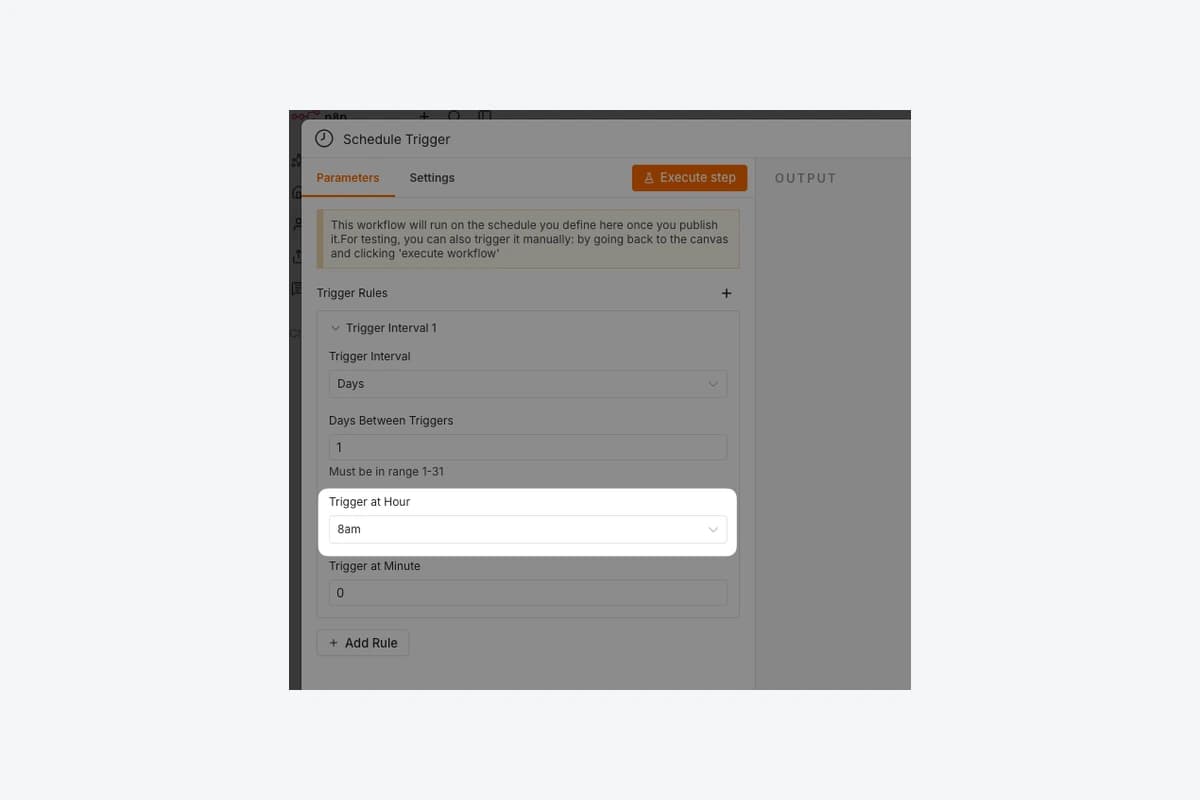
The article image is an actual Schedule Trigger screen supplied by n8n in its documentation, showing an illustrative daily 8am schedule. It depicts the affected function, not an incident, a specific production deployment or proof that an upgrade succeeded.
Upgrade and verify recovery
Back up the database and required configuration using the existing operational procedure, and confirm a recovery plan. Test the patch separately using sample data and the same database and scheduler setup as production. Do not deliberately reproduce a schedule-stopping failure on a live customer system.
After upgrading, confirm that the running process uses a fixed build and observe several cycles of a harmless test workflow. Include a workflow retaining a legacy node. Check start times, completion states and downstream results, and retain the installed version alongside expected and actual execution timestamps. A successful manual run alone does not validate scheduled execution.
If integrations missed a window, identify the work needing reconciliation and check duplicate protection before replaying it. Restarting main may temporarily restore schedules as described in the bug report, but does not replace the fix. Catch-up behavior depends on the scheduler and workflow settings; do not assume every missed run will automatically execute.
References
Sources used in this guide
We prioritise official guidance and primary technical sources. Visit each source for full context and the latest updates.
- n8n 2.44.6 release, published October 22, 2026n8n ↗︎
- Maintainer fix description and affected configuration, merged October 21, 2026n8n maintainers ↗︎
- Schedule Trigger behavior and missed-execution settings, accessed October 23n8n ↗︎
- Actual Schedule Trigger sample screenshot; © n8n GmbH; source capture/build unspecified; proportional resize and neutral framing onlyn8n GmbH ↗︎
- Full documentation licence: Apache 2.0 plus Commons Clause License Condition v1.0. Redistribution notices retained; no sale of software functionality authorisedn8n GmbH ↗︎