

ContentsTap to jump to a section+
- Rollout began October 15 and may take longer than 15 days.
- Launch scope is CSE PDFs and images inside Drive, not every file type.
- Preview does not grant universal decryption access or prevent screen capture.
Preview encrypted content without the extra download step
Google announced general availability on October 15, 2026 for previewing client-side encrypted PDFs and images in Drive. Previously, users had to download these non-native encrypted files to view them. Authorized users gain an in-browser path that removes an extra handling step.
The notice lists Enterprise Plus, Education Standard/Plus and other eligible editions or add-ons including Frontline Plus and Assured Controls. Both release tracks began an extended rollout on October 15, potentially exceeding 15 days. This October 19 report does not claim completed access for every account.
Client-side encryption adds a separate control boundary
Drive already encrypts data in transit and at rest. Client-side encryption adds organization-controlled key and access boundaries; Google describes the protected content as unreadable to unauthorized parties, including Google. Preview changes the viewing path for authorized people rather than removing encryption.
Friday Works recommends identifying both file-permission ownership and decryption ownership. Receiving a link does not necessarily grant CSE access. Diagnose permissions, identity verification, eligibility and rollout separately before asking someone to distribute an unencrypted copy.
Launch scope is PDFs and images inside Drive
The announcement limits launch support to encrypted PDFs and images within Drive. Do not extend that claim to every Office file, Workspace application or mobile platform. Support instructions should match the actual environment.
Friday Works suggests testing a non-sensitive sample PDF and image using organization-owned accounts with and without approved access. The expected result includes successful authorized viewing and continued denial for unauthorized viewing. Do not test against other people’s accounts or data.
Then inspect legibility, page coverage and any unsupported content. Validate annotation, signing or original-file download separately if the business process needs them. A successful preview is not an end-to-end document workflow test.
Fewer downloads still require handling rules
Google presents preview as a way to avoid unnecessary downloads. Friday Works recommends reviewing which documents need viewing only, who needs local copies and what retention rules apply. Any practical benefit depends on the organization’s workflow; no customer measurements are claimed here.
Preview does not prevent an authorized reader from recording or capturing displayed content. Sharing rules, approved recipients and handling instructions still matter. Manage any remaining download steps rather than claiming the feature eliminates all risk.
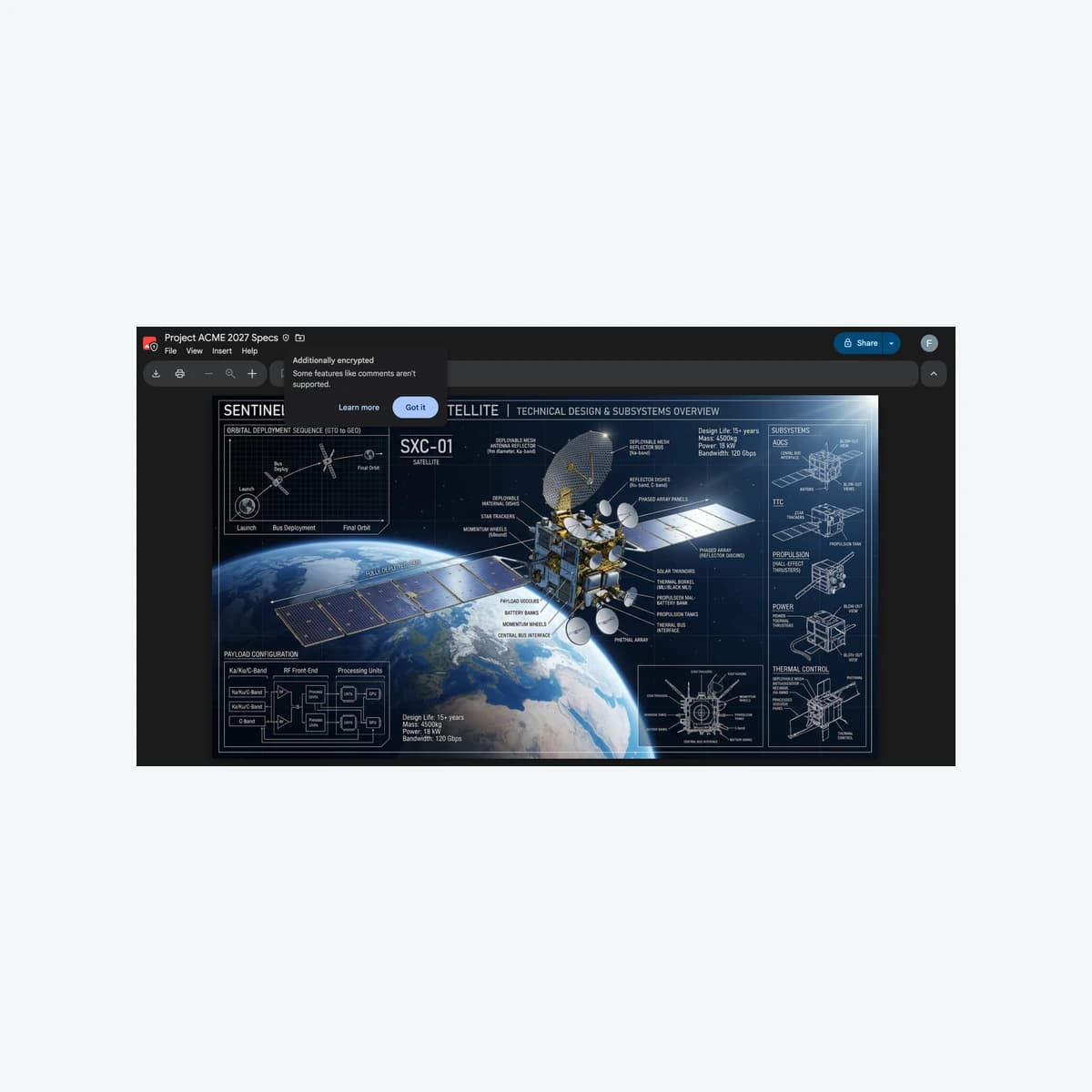
The article shows Google’s October 15 Project ACME 2027 Specs demonstration with an additional-encryption notice. It is sample content, not a leaked document or customer system. The original announcement date and rollout scope remain explicit.
References
Sources used in this guide
We prioritise official guidance and primary technical sources. Visit each source for full context and the latest updates.
- CSE PDF/image preview generally available — 15 October 2026; rollout and editionsGoogle Workspace ↗︎
- Encrypted files in Drive — computer-specific instructions and restrictionsGoogle Docs Editors Help ↗︎
- About client-side encryption — encryption and organizational prerequisitesGoogle Workspace Admin ↗︎
- Drive CSE PDF/image preview GA; © Google. Official October 2026 demonstration, sample data; static capture and proportional resize, neutral framing; not customer results.Google ↗︎
- Google product screenshot guidance for explanatory media; copyrighted product UI, not a Creative Commons imageGoogle ↗︎