

ContentsTap to jump to a section+
- Analysis targets the connected BigQuery dataset beyond visible rows.
- Gemini presents a plan before creating report objects in a new tab.
- A BigQuery connection, query permissions and eligible Gemini access are required.
Questions can reach beyond the visible sheet preview
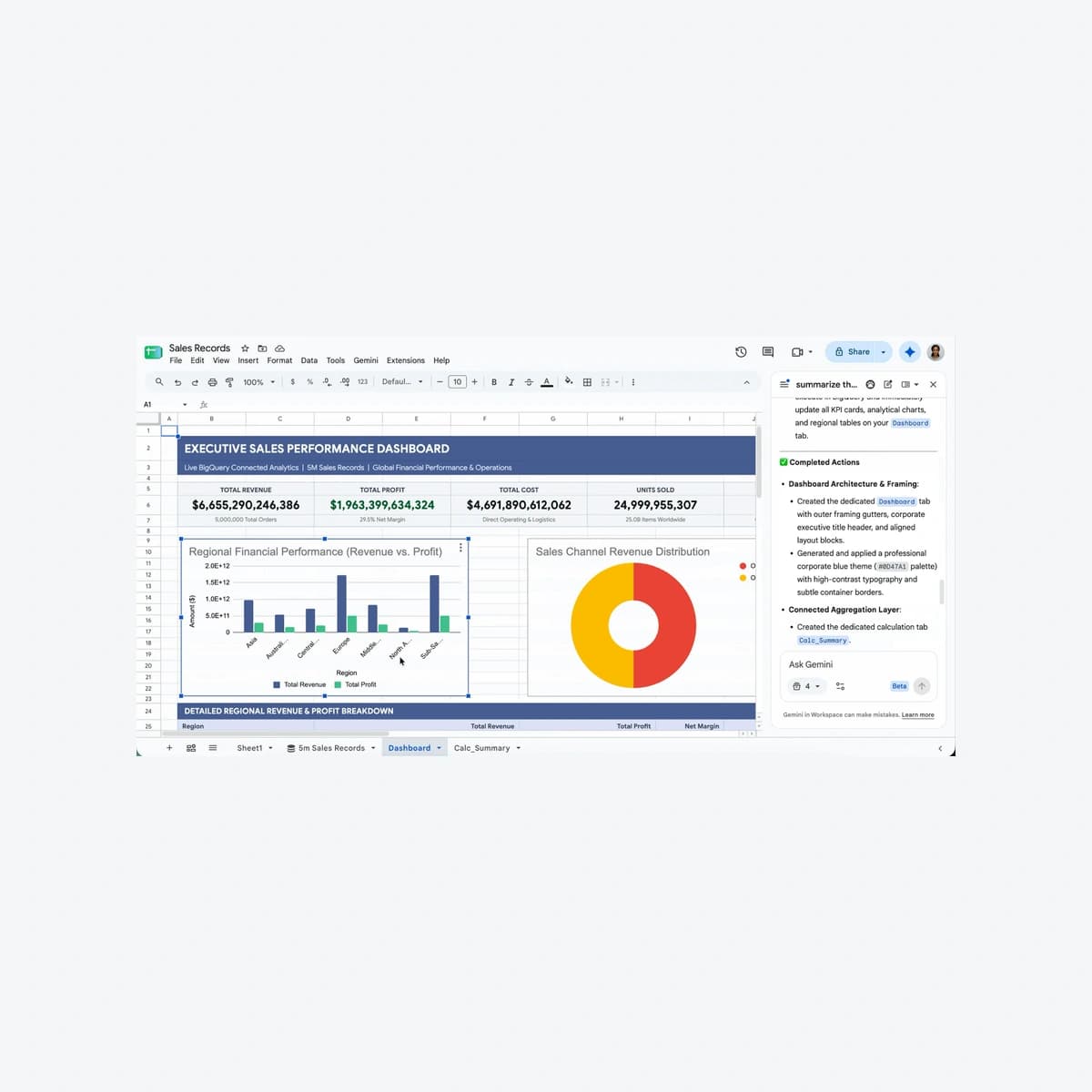
Google announced natural-language BigQuery analysis with Gemini in Connected Sheets on October 19, 2026. The important scope change is analysis of the full connected dataset rather than only visible preview rows. Business teams should review the connection, query authorization and analysis plan before using outputs for decisions.
Both release tracks begin a gradual rollout on October 19, taking up to 15 days. This is an analysis-tool update, not a promise that AI understands every accounting definition or that source data is correct.
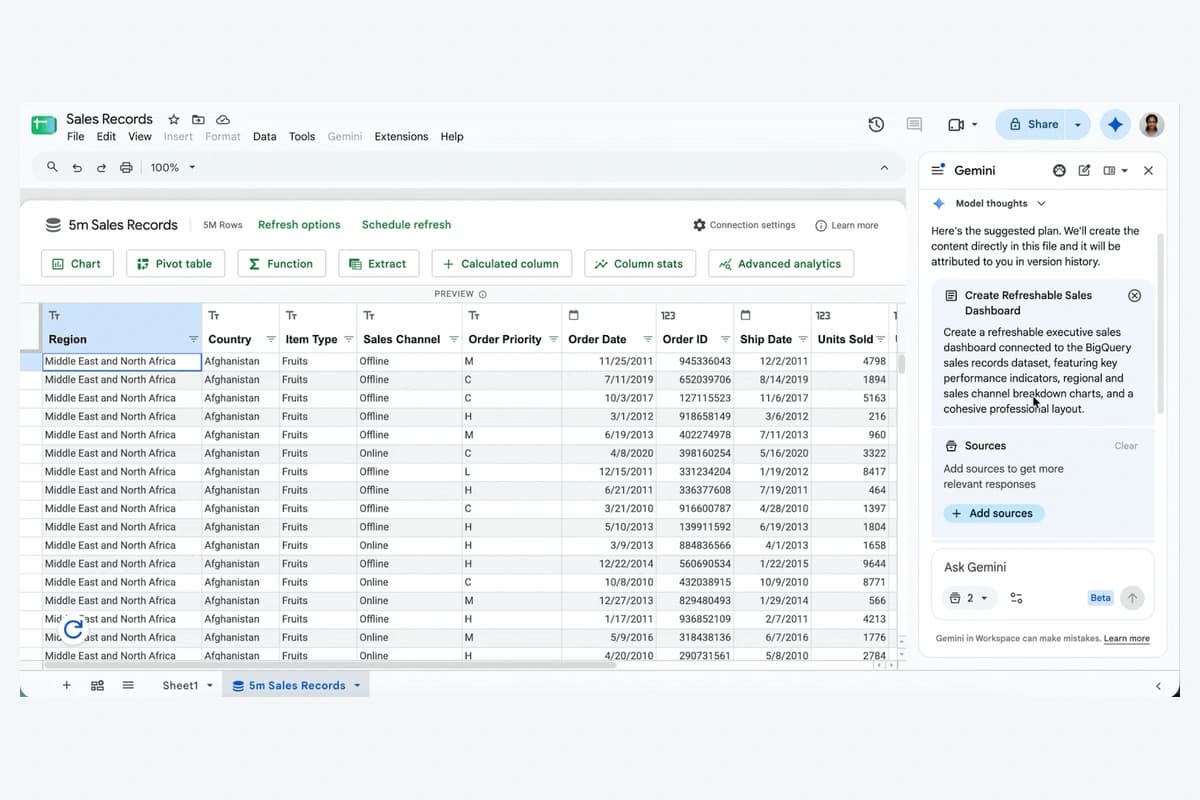
A plan-review step connects the question to the report
Google describes connecting a sheet to BigQuery, asking follow-up questions and reviewing Gemini’s plan before it builds database formulas, pivots or charts in a new tab. These connected report objects can be refreshed against source data.
Friday Works recommends reviewing metric definitions at the plan stage. A quarterly regional revenue question needs a refund policy, time zone and cancellation rule. This is an illustrative business scenario, not customer evidence or a claim that Gemini automatically resolves every definition.
Check a small result set against an approved calculation after generation. A polished chart does not validate date filters, aggregation or missing-value handling; the data owner still needs to approve those choices.
Natural language does not remove query access or cost controls
Query authorization remains required. Connected Sheets documentation also calls for Google Cloud and BigQuery access and an appropriately billed project or trial. Natural-language prompts do not grant access to otherwise restricted tables.
Friday Works recommends approved tables or views containing only necessary fields, plus a review of spreadsheet sharing and query rights. Google documents Cloud Audit Logs for Connected Sheets access, available to authorized reviewers.
Identify the billed project and query-monitoring process before wider trials. This report does not promise free queries or quantified savings. Fewer CSV exports can help a workflow without replacing budget and access controls.
Keep Connected Sheets analysis separate from the iOS feature
The notice lists eligible Business Standard/Plus, Enterprise Standard/Plus, Google AI Pro/Ultra and relevant education or expanded-AI options. Check the actual subscription rather than assuming every Sheets account includes Gemini.
Connected Sheets documentation requires a computer to create, edit or refresh connected data. Do not combine this announcement with Gemini on iOS and promise identical mobile functionality; mobile analysis has separate active-tab and chart limitations.
Friday Works recommends accepting the rollout only after access, planned scope and known-answer refresh checks pass. The dashboard and plan images are Google’s October 19 demo with sample data, not proof of a customer deployment or financial outcome.
References
Sources used in this guide
We prioritise official guidance and primary technical sources. Visit each source for full context and the latest updates.
- Official announcement —19 October2026; see article for separate rollout datesGoogle Workspace ↗︎
- Get started with BigQuery data in Sheets — permissions, billing, audit logs and desktop scopeGoogle Docs Editors Help ↗︎
- Gemini in Sheets — computer feature documentationGoogle Docs Editors Help ↗︎
- Official product demonstration, published 19 October 2026; © Google, sample data. Selected static frame/crop, proportional resize and neutral framing; not customer results.Google Workspace ↗︎
- Google product screenshot guidance: explanatory/educational use; copyrighted UI, not a Creative Commons photograph. No affiliation or endorsement.Google ↗︎