

ContentsTap to jump to a section+
- Released at 06:59 Vietnam time on October 27, 2.143.0 accepts multi-document ZIP input.
- Use convert_all(); failures raise by default, with an option to return failure results and continue.
- A synthetic Markdown/DOCX ZIP and failure path were tested; no OCR or customer-outcome benchmark is claimed.
A document bundle can enter conversion directly
Docling released 2.143.0 at 23:59 UTC on October 26, 2026, or 06:59 on October 27 in Vietnam, adding mixed-format ZIP input. Teams building document search and AI assistants gain a way to submit a bundle while receiving an individual result for each archive member.
Review the API call and failure handling first. This is an input-packaging capability, not a claim of higher OCR accuracy, support for every archive or a new AI model. This October 27 report retains the original UTC publication time.
One archive can produce multiple documents
Docling converts documents into structured forms for downstream processing. A ZIP containing multiple documents must not be treated as one document merely because it is one uploaded file. Each member has its own source name, format, content and outcome.
The documentation accompanying the change says convert() returns one result and raises ConversionError when a source contains multiple documents. Use convert_all() for multi-member archives. Simply replacing a DOCX path with a ZIP path in an existing convert() integration can therefore fail.
By default, convert_all() raises at the first failed member. With raises_on_error=False, it can return failure results and continue. The application must deliberately decide whether to process valid members immediately or require a complete corrected bundle.
A real Markdown, DOCX and failure-path trial
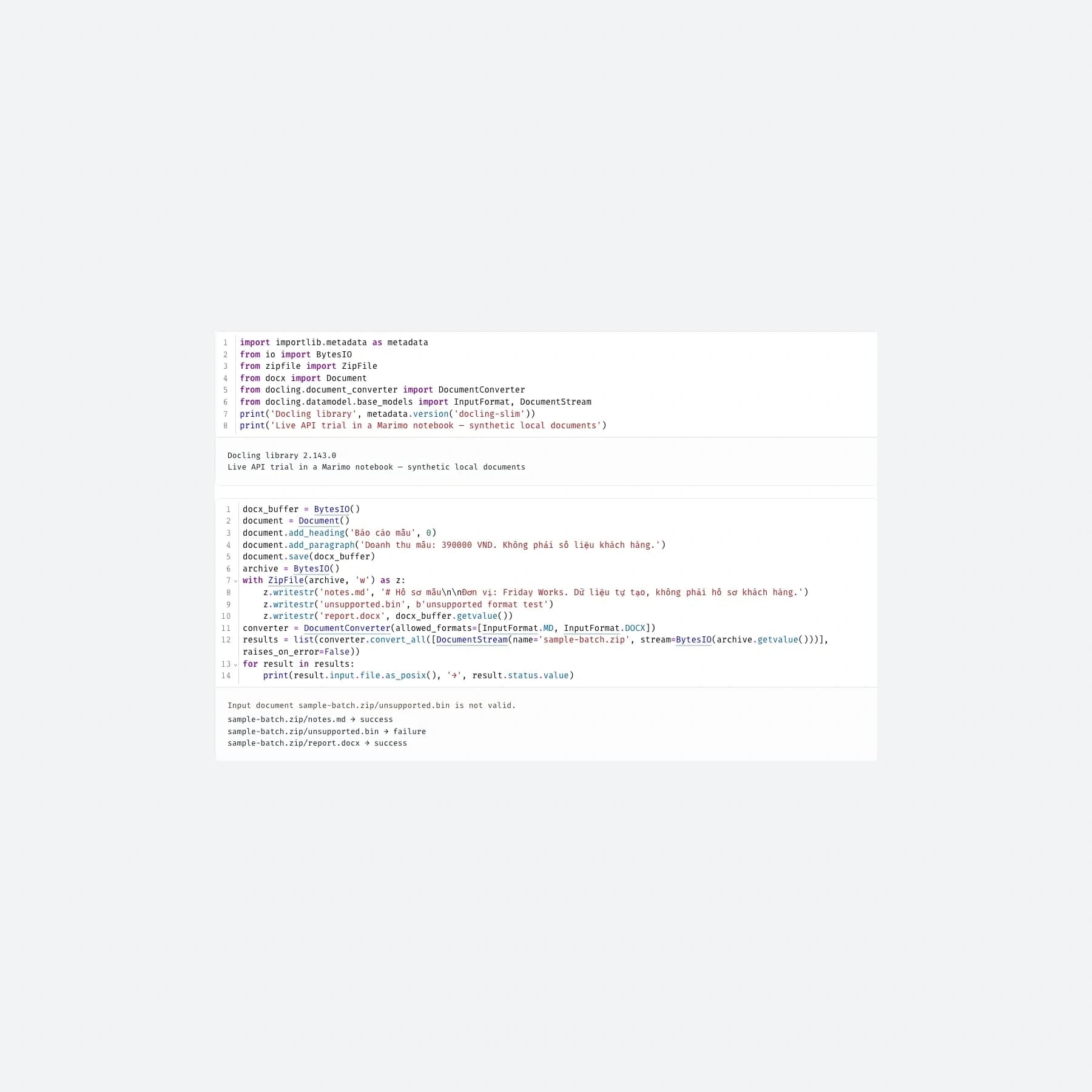
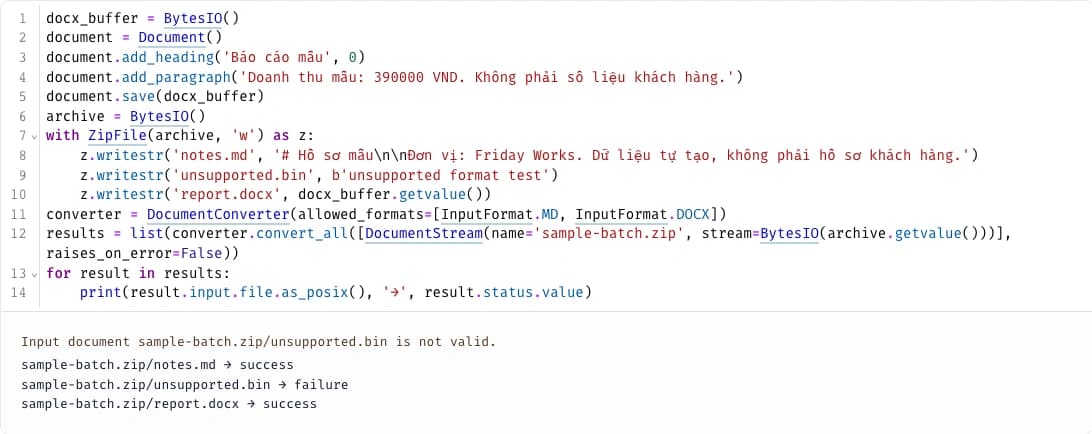
Friday Works tested docling-slim 2.143.0 in an isolated environment with a synthetic ZIP containing notes.md, report.docx and unsupported.bin. The supported documents succeeded, the unsupported binary failed, and returned paths retained the archive and member names. No customer documents were used.
With continued processing enabled, the DOCX result arrived after the unsupported member. The converted Markdown document was exported back to Markdown. This small trial validates intake and statuses in that configuration; it does not measure scanned PDFs, long documents, complex layouts or Vietnamese OCR quality.
The screenshots show a real Marimo notebook calling the Docling Python library, with executed code and output. They are not a fabricated native Docling dashboard or a customer-deployed intake product.
Keep member failures visible downstream
An organization might send a DOCX contract and Markdown notes together. Marking the entire archive successful after its first result risks concealing a failed member. This is a design failure mode highlighted by Friday Works, not a reported customer incident.
Retain the input inventory, each member’s status and source name before indexing. Failed documents need an actionable queue, an owner and a resubmission path. A report built from incomplete intake must not be described as a complete bundle summary.
Source paths also help readers check which document supported an assistant’s answer. ZIP support does not automatically implement document permissions, deduplication or trustworthy citations; those remain integration responsibilities.
Review limits and optional models separately
The updated documentation applies the size limit both to individual members and to the cumulative size of successfully read members. A compressed-upload limit alone is insufficient. Configure appropriate limits and test rejection paths with authorized sample data.
Docling’s optional components vary by format and model pipeline. A Markdown/DOCX trial does not establish that every pipeline is lightweight or immediately offline. Scanned PDFs, audio and specific models can require additional dependencies, weights and licenses.
Before adopting 2.143.0, compare input-member counts with output outcomes on representative bundles and retain explainable failures. The new capability reduces custom mixed-input handling; accuracy, cost and processing time still require measurement on actual documents.
References
Sources used in this guide
We prioritise official guidance and primary technical sources. Visit each source for full context and the latest updates.
- Docling 2.143.0, published October 26 23:59 UTC / October 27 06:59 VietnamThe Docling Contributors ↗︎
- Mixed-format ZIP implementation, documentation and maintainer testsThe Docling Contributors ↗︎
- Exact release documentation: convert_all and archive limitsThe Docling Contributors ↗︎
- Docling MIT licenceThe Docling Contributors ↗︎
- Cover and inline images: Docling 2.143.0 API trial in Marimo 0.25.2, executed and captured October 27, 2026; entirely synthetic files and values. A library notebook, not a native Docling UI. Docling MIT and Marimo Apache-2.0; actual code/output crop, proportional resizing and cover margins.The Docling Contributors / Marimo contributors; trial and capture by Friday Works ↗︎
- Image/software licence; full notices retained in research artifactsThe Docling Contributors / Marimo contributors; trial and capture by Friday Works ↗︎
- Marimo notebook interface, Apache-2.0 (not a native Docling GUI)Marimo contributors ↗︎