

ContentsTap to jump to a section+
- An MCP connection may let AI read data or take actions at machine speed; human-era permissions need to be redesigned.
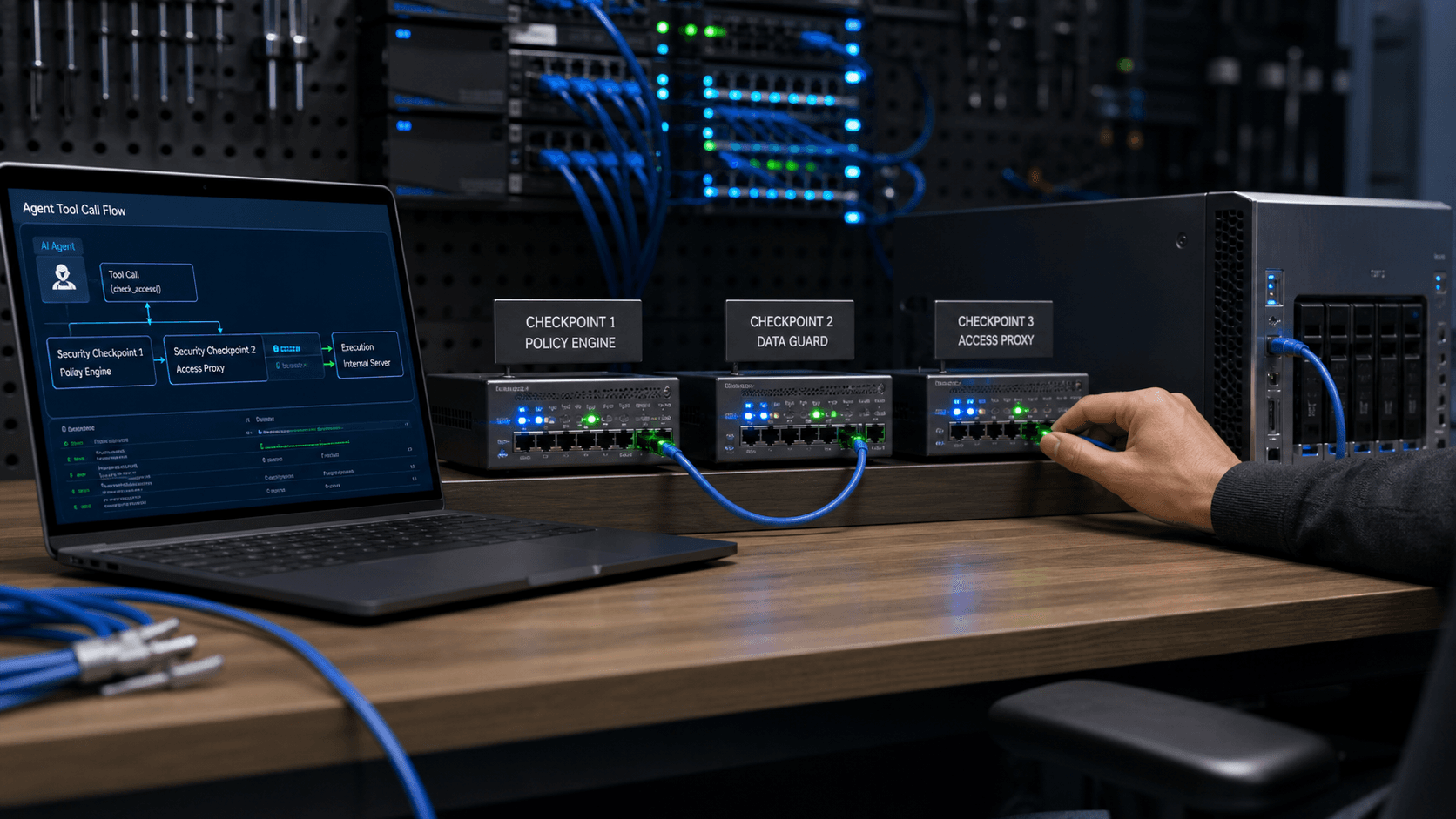
- Controls can operate inside the AI client, at the network boundary and immediately before the tool server executes a request.
- Separate read and write tools, give agents distinct identities and log every tool invocation.
MCP turns a prompt into an action inside a system
The Model Context Protocol lets an AI application discover and call connected tools. A tool may search documents, read CRM records, create a support ticket, update a repository or change infrastructure. For the user, a connection can be as simple as one configuration line.
That convenience creates a governance gap. Staff can add an MCP server that IT has not approved, sending prompts, source code or customer information to an external service without central logs.
The permission may be familiar, but the decision-maker has changed: AI can repeat one bad action thousands of times before a person notices.
Shadow MCP and approved-path bypass are different problems
Shadow MCP means a connection to a server the business has not reviewed. A user may find it in documentation, a repository or a colleague’s message and add it directly to an AI client.
Approved-path bypass starts with a known server, but the user connects directly to its upstream address and skips the managed gateway, access policy or data controls. The first problem requires discovery; the second requires enforceable routing.
Three places can stop an unsafe request
Inside the AI client, policy can check an allowlist, request confirmation for sensitive actions or remove unnecessary data before transmission. This can cover local tools, but it must be implemented across every client in use.
At the network boundary, a secure web gateway can associate traffic with managed users and devices and block unapproved destinations. It cannot see local tools or off-network connections.
At the tool server, policy has the richest context: caller, tool, arguments, limits and permissions. The server must protect itself rather than assuming the client will always behave safely.
- Client: allowlists, confirmation and data minimisation.
- Network: discovery, identity and approved routing.
- Server: authentication, tool-level authorization, rate limits and pre-execution denial.
Separate read permissions from write permissions
An agent that searches internal documents creates a different risk from one that can send email, issue refunds or deploy code. Read tools can usually scale earlier. Write tools need approval, call limits and a clear recovery path.
Give the agent its own identity instead of reusing an employee account. Log the initiating person, agent, server, tool, time, result and trace identifier without unnecessarily storing sensitive payloads.
Checklist before approving an MCP server
Document purpose, transmitted data, possible actions and the accountable owner. Review authentication, token scope, logging, retention and revocation. For a third-party server, establish whether data is used for training or shared onward.
Approval is not permanent. Servers may add tools or expand permissions. Snapshot the tool catalogue, review material changes and revoke connections that no longer have an owner.
Start small instead of banning everything
A blanket ban often pushes use to personal devices and accounts. A safer programme offers an approved server for one low-risk workflow and clearly states which data is allowed.
Begin with read-only tools, a limited pilot group and weekly log review. Add write actions only after evidence supports them, with human approval and rapid revocation.
FAQ
Frequently asked questions
Is MCP itself a security vulnerability?
No. MCP is a tool-connection protocol. Risk comes from unreviewed servers, excessive permissions, sensitive data transfer and actions without approval or logging.
Can a network gateway see every MCP connection?
No. Local tools, off-network traffic and excluded encrypted sessions may remain invisible, so client and server controls are also required.
Where should a small business begin?
Use one approved read-only workflow, a separate agent identity and central logs. Consider write permissions only after several weeks of evidence.
References
Sources used in this guide
We prioritise official guidance and primary technical sources. Visit each source for full context and the latest updates.